Movavi Video Editor Review (2026): The Easiest Editor, or One You’ll Outgrow?
The verdict
A research-based 2026 review of Movavi Video Editor — easy AI-powered editing, fair pricing, and the honest catch on its 'lifetime' license.
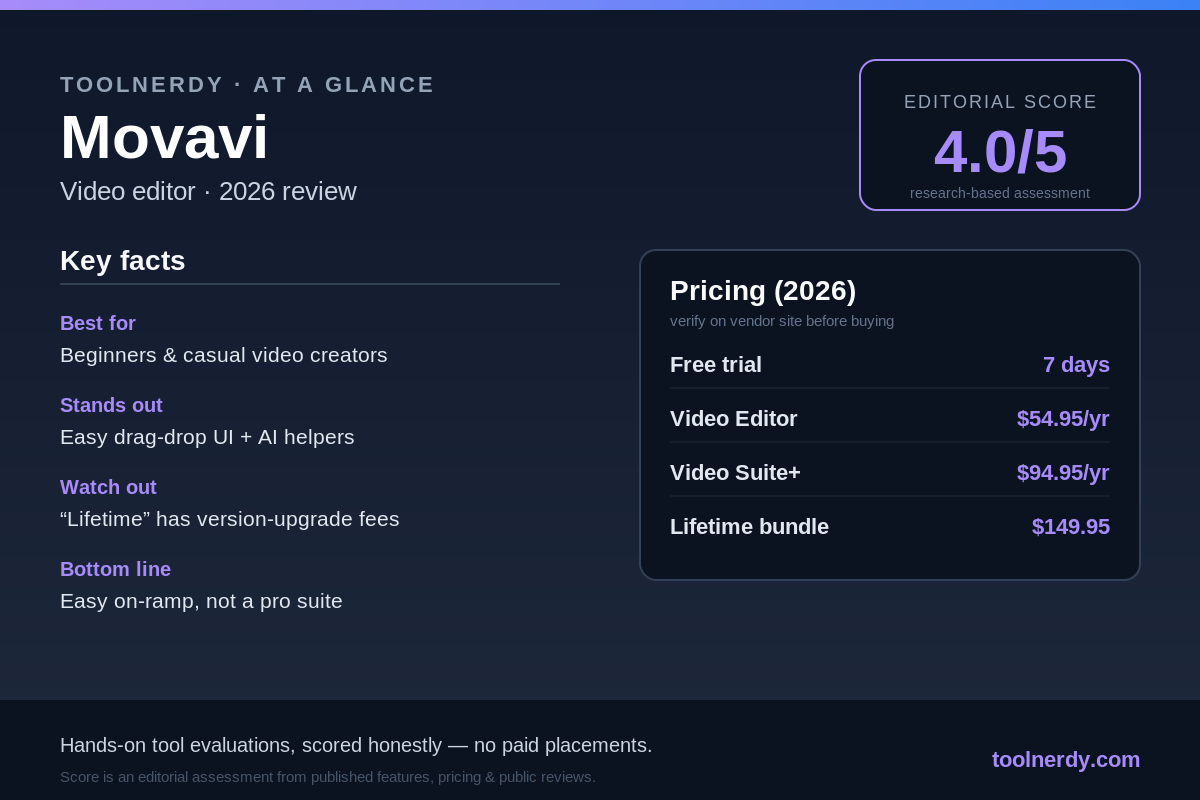
Methodology: This is a research-based overview, not a hands-on lab test. The score is an editorial assessment drawn from Movavi’s published 2026 pricing and features plus aggregated public reviews — not our own benchmarking.
Most “best video editor” lists assume you either want free-and-fiddly (think Blender or DaVinci Resolve) or expensive-and-pro (Premiere). Movavi has spent years carving out the middle: a video editor simple enough for a first-timer but capable enough to ship a polished YouTube video. In 2026, with AI features now baked in, is Movavi Video Editor still the easy-button pick — or are you paying for simplicity you’ll outgrow?
Who it’s for
Movavi is built for beginners and intermediate creators who want professional-looking results without a steep learning curve: hobbyist YouTubers, small-business owners making promo clips, teachers, and anyone editing family or travel footage. If your idea of “editing” is trimming clips, adding titles and music, and exporting something that looks clean, Movavi gets you there fast.
It’s the wrong tool if you need a professional finishing suite. Advanced color grading, true multi-cam editing, and complex node-based workflows are outside its scope. Serious colorists and broadcast editors will hit walls quickly.
What stands out
The gentlest learning curve in the category. Movavi’s clean, drag-and-drop interface is genuinely approachable. Most people are making a watchable edit within an hour, with no tutorials required. For the target audience, this is the entire value proposition — and Movavi nails it.
AI features that actually save time. Background removal (no green screen needed), AI noise reduction, motion tracking, and one-click enhancements are built in. They’re not flawless versus dedicated tools, but for casual content they remove a lot of manual fiddling.
Affordable entry point with little feature gating. Compared to subscription-only rivals, Movavi’s pricing is modest, and the core editing toolkit isn’t crippled on the cheaper tiers. Keyframe animation, slow-motion, stabilization, and overlays are all available to ordinary users.
A lifetime-license option. In a subscription-saturated market, Movavi still sells a one-time “lifetime” license — appealing if you hate recurring bills.
Where it falls short
“Lifetime” has an asterisk. A lifetime license covers the version you buy. Major annual version jumps (e.g., 2026 to 2027) typically carry an upgrade fee in the ~$20–$40 range, so it’s not truly “all future versions forever.” Read the cart carefully.
Not a professional workflow tool. No advanced color grading, limited multi-cam, and a feature ceiling you can hit as your skills grow. Many creators eventually graduate to Resolve or Premiere.
Confusing product lineup. Video Editor vs. Video Suite vs. bundles with Photo Editor, plus regional pricing variations, make it easy to overpay or buy the wrong SKU. Know which one you actually need before checkout.
Free trial limits. Like most consumer editors, the trial applies a watermark and caps some features, so you can evaluate the workflow but not ship final work for free.
Pricing (2026)
Movavi offers a 7-day free trial, then a mix of subscription and one-time options. Figures below reflect commonly listed 2026 USD pricing; always confirm the exact SKU and current promo on Movavi’s site before buying, as bundles and regional prices vary.
- Video Editor (annual) — ~$54.95/year (or roughly $15.95/month). The core editor for most individual creators.
- Video Suite Plus — ~$94.95/year. Editor plus the wider Movavi toolset.
- Video Suite + Photo Editor — ~$99.95/year, or ~$149.95 one-time “lifetime.” The bundle, with the one-time option for subscription-averse buyers.
The practical watch-out: the headline price is for the current version. Factor in periodic upgrade fees if you want to stay on the newest release year after year.
Verdict
Movavi in 2026 is exactly what it claims to be: the friendliest on-ramp to video editing, now with AI helpers that genuinely cut busywork. For beginners and casual creators, it’s an easy recommendation — you’ll be productive almost immediately, and the price is fair. The honest caveats are the asterisk on “lifetime,” the version-upgrade fees, and a feature ceiling that ambitious editors will eventually hit. Buy it for ease and speed, not for a future professional career in post-production.
If you want to test the workflow before paying, the 7-day free trial is the right move — confirm the interface clicks for you, then pick the specific SKU that matches your needs.
Start your free Movavi trial →
Editorial score: 4.0 / 5 — an editorial assessment based on published 2026 features, pricing, and aggregated public reviews, not hands-on benchmarking by ToolNerdy. Best-in-class ease of use and good value, held back by upgrade fees and a deliberately limited pro feature set.
Sources
- Movavi pricing breakdown (2026): https://fluxnote.io/guides/movavi-pricing-guide-2026
- Movavi review & features (2026): https://aivideopicks.com/posts/movavi-review-2026.html
- Movavi Video Suite reviews: https://www.softwaresuggest.com/movavi-video-suite