Descript Review (2026): Is the Text-Based Editor Still Worth It After the Pricing Overhaul?
The verdict
A research-based 2026 look at Descript's text-based editor, AI cleanup, and the September 2025 pricing overhaul — with an honest editorial score.
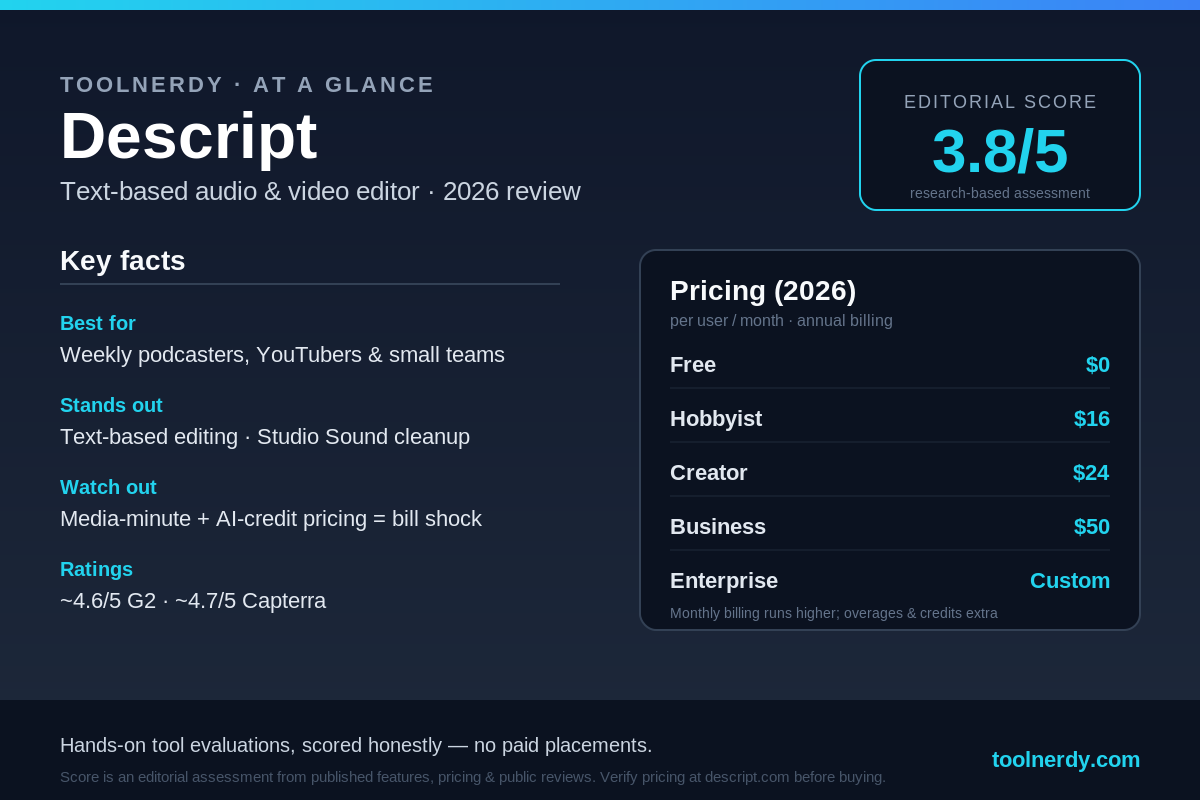
Note on methodology: This is a research-based overview, not a hands-on lab test. The score below is an editorial assessment built from Descript’s published features and pricing plus aggregated public reviews (G2, Capterra, Reddit) — it is not the result of our own timed benchmarking.
Descript has spent years as the default answer to “what should I edit my podcast or video in?” Its pitch is unusual: edit audio and video by editing a transcript, the way you’d edit a Word document. But after a September 2025 pricing overhaul that swapped transcription hours for “media minutes” and metered AI credits, a lot of long-time users started asking a sharper question. In 2026, is Descript still worth paying for — or has the pricing model quietly outrun the product?
Who it’s for
Descript is built for solo creators and small teams who edit inside one tool every week: podcasters, YouTubers, course creators, and marketing teams cutting social clips. If you record yourself talking and then need to clean it up, trim it, caption it, and export it without bouncing between three apps, Descript’s text-based workflow is genuinely faster than a traditional timeline editor — especially for people who don’t consider themselves “editors.”
It’s a weaker fit if your core need is just transcription (you’ll likely overpay versus a dedicated transcription service), if you need a polished mobile editing app, or if you work offline. Descript is cloud-dependent and desktop-first, and that shapes who gets value from it.
What stands out
Text-based editing. This is still the headline feature and still the best-in-class implementation of it. Delete a word in the transcript and it’s deleted from the audio and video. For talking-head and conversational content, this collapses an intimidating timeline into something that reads like a script. It’s the main reason the tool earns its loyal following.
Studio Sound. Descript’s regenerative audio cleanup strips background noise and room echo and can make a recording from an untreated room sound noticeably more professional. For creators who don’t own a treated space, this single feature often justifies stepping up a tier.
One-click cleanup and AI assists. Automatic filler-word removal (“um,” “uh,” “you know”) across an entire recording, Eye Contact correction that redraws your gaze toward the camera, Green Screen, and the “Underlord” AI assistant that automates repetitive cleanup and can draft social clips. Overdub, Descript’s voice-cloning feature, lets you fix a flubbed word by typing rather than re-recording. None of these are flawless, but together they remove a lot of tedious manual work.
Reputation. Public sentiment is strong on the product itself — roughly 4.6/5 across 800+ G2 reviews and about 4.7/5 across 170+ Capterra reviews as of early 2026. The consistent praise: the editor is intuitive and saves real time.
Where it falls short
Pricing predictability is the loudest complaint. The September 2025 move to “media minutes” (which count any media you bring into the editor, not just what you transcribe) plus metered AI credits for features that used to feel unlimited has made bills harder to forecast. Public reviews repeatedly describe “bill shock” — users who paid a steady ~$30/month for years reporting much larger charges once a busy production cycle blew past the new limits. Top-up packs for extra media minutes and AI credits are sold separately and expire 12 months after purchase.
Transcription accuracy still needs a human pass. It’s good, not perfect. Proper nouns, brand names, accents, and technical jargon are where errors cluster, so anything client-facing needs proofreading.
Platform and performance limits. It’s optimized for Chrome on desktop, there’s no real mobile editing app, and large or multi-track projects can lag on older or lighter machines (a frequently cited pain point for MacBook Air-class hardware). Because it’s cloud-based, spotty internet disrupts transcription, AI features, and collaboration.
Billing friction. Multiple reviewers note Descript doesn’t credit unused subscription time when you upgrade mid-cycle, and that support can feel automated. Watermark-free export and the better AI features live on the paid tiers, so the Free plan is best treated as an extended trial.
Pricing (2026)
Descript is priced per user, per month, with annual billing saving up to roughly 35% versus monthly. Figures below were verified in June 2026 against multiple independent pricing breakdowns; always confirm on Descript’s own pricing page before buying, as plans change.
- Free — $0. ~60 media minutes (1 hour)/month, unlimited projects, watermarked exports, heavily capped AI. A long trial, not a long-term tool.
- Hobbyist — $16/user/mo annual ($24 monthly). Removes the watermark, ~10 hours of transcription/month, basic AI like filler-word removal. Good for light solo use.
- Creator — $24/user/mo annual ($35 monthly). The flagship tier most active podcasters and YouTubers choose. Adds full Studio Sound, the Underlord AI assistant, and watermark-free exports up to 4K. ~10 hours of transcription/month — which disappears fast on long-form shows.
- Business — $50/user/mo annual ($65 monthly). Team collaboration, shared drives, role permissions, SSO add-ons, ~30 hours of transcription/month. Built for small in-house teams and agencies.
- Enterprise — custom. SSO, dedicated support, security review. Sales-led.
The practical caveat: the sticker price is the starting point. Once you factor in media-minute overages and AI-credit top-ups, the real monthly bill for heavy users can run well above the headline number.
Verdict
Descript in 2026 is a case of a great product wrapped in a frustrating pricing model. The text-based editor remains category-leading, Studio Sound is a legitimate reason to pay, and for a weekly creator who lives inside the app, the Creator plan at $24–$35/user/month is easy to justify on time saved alone. The hesitation is entirely about cost predictability: if you produce a high volume of media, or you only need transcripts and edit elsewhere, the media-minute-plus-credits system can work against you, and a dedicated transcription tool will be cheaper and more predictable.
Our recommendation: try the Free plan to confirm the workflow clicks for you, then model your real monthly media volume before committing — especially above one seat. Buy it for the editor, not as a transcription engine.
Editorial score: 3.8 / 5 — an editorial assessment based on published features, 2026 pricing, and aggregated public reviews, not on hands-on benchmarking by ToolNerdy. Best-in-class editing and audio cleanup, held back by an unpredictable post-2025 pricing model and platform limitations.
Sources
- Sonix — “Descript Pricing: How Much Does Descript Really Cost in 2026” (updated June 4, 2026): https://sonix.ai/resources/descript-pricing/
- MeetGeek — “Descript Pricing Review 2026”: https://meetgeek.ai/blog/descript-pricing
- G2 — Descript reviews and pricing (~4.6/5, 800+ reviews): https://www.g2.com/products/descript/pricing
- Capterra — Descript reviews (~4.7/5, 170+ reviews): https://www.capterra.com/p/230702/Descript/reviews/