UPDF Review (2026): A Real Acrobat Alternative, or a Checkout Trap?
The verdict
A research-based 2026 review of UPDF — fast PDF editing, a rare perpetual license, and the auto-renew checkout you need to watch.
Methodology: This is a research-based overview, not a hands-on lab test. The score is an editorial assessment drawn from UPDF’s published 2026 pricing and features plus aggregated public reviews — not our own benchmarking.
Adobe Acrobat has owned the PDF editor category for so long that most people assume the only choice is “pay Adobe forever or fight with a clunky free tool.” UPDF is one of a new wave of challengers betting otherwise — a fast, modern editor that still sells a one-time license and bolts on AI. In 2026, is UPDF a real Acrobat alternative, or a cheap tool you’ll regret at the checkout screen?
Who it’s for
UPDF is aimed at individuals and small businesses who edit, annotate, convert, and sign PDFs regularly but don’t want Acrobat’s subscription. Think solo professionals in law, real estate, accounting, and education, plus students who want OCR and AI summarization without enterprise pricing. Its cross-platform coverage (Windows, macOS, iOS, Android) makes it a natural fit if you bounce between a laptop and a phone.
It’s less ideal if you live inside the Adobe ecosystem and depend on advanced prepress, complex form-field scripting, or deep Acrobat-specific integrations.
See UPDF plans & free version →
What stands out
A genuinely modern, fast interface. Reviewers consistently describe UPDF as feeling like a productivity app rather than legacy PDF software, and notably snappier than Acrobat on the same files. For day-to-day editing and annotation, that responsiveness matters.
A perpetual license still exists. UPDF’s one-time purchase for the editor is increasingly rare in a subscription-dominated market, and it’s the single most compelling reason buyers pick it. Pay once, own that version.
The full toolkit on paid plans. Annotation, OCR, conversion to Word and Excel, page management, cloud storage, digital signing, and cross-platform use are all included — the things most people actually need from a PDF tool.
AI that does real work. UPDF’s AI can summarize long PDFs and dense charts in seconds, generate mind maps, and translate documents. For students and knowledge workers, the summarization alone can be a time-saver.
Where it falls short
The AI is a separate purchase. The AI Assistant is not bundled with the Pro/perpetual license — it’s an add-on subscription. Buyers expecting “one price, everything included” are sometimes surprised that the headline AI features cost extra.
A genuinely confusing checkout. This is the most important drawback to flag honestly: multiple Trustpilot reviewers report being charged for the AI Assistant they didn’t realize they’d subscribed to, traced back to an auto-renew box ticked during a confusing checkout flow. Go slowly at payment and uncheck anything you don’t want.
Perpetual ≠ all future versions. As with most one-time licenses, your purchase covers the current major version; future major releases may require paying again.
Not an enterprise Acrobat replacement. For heavy form scripting, prepress, and large-org compliance workflows, Acrobat still leads.
Pricing (2026)
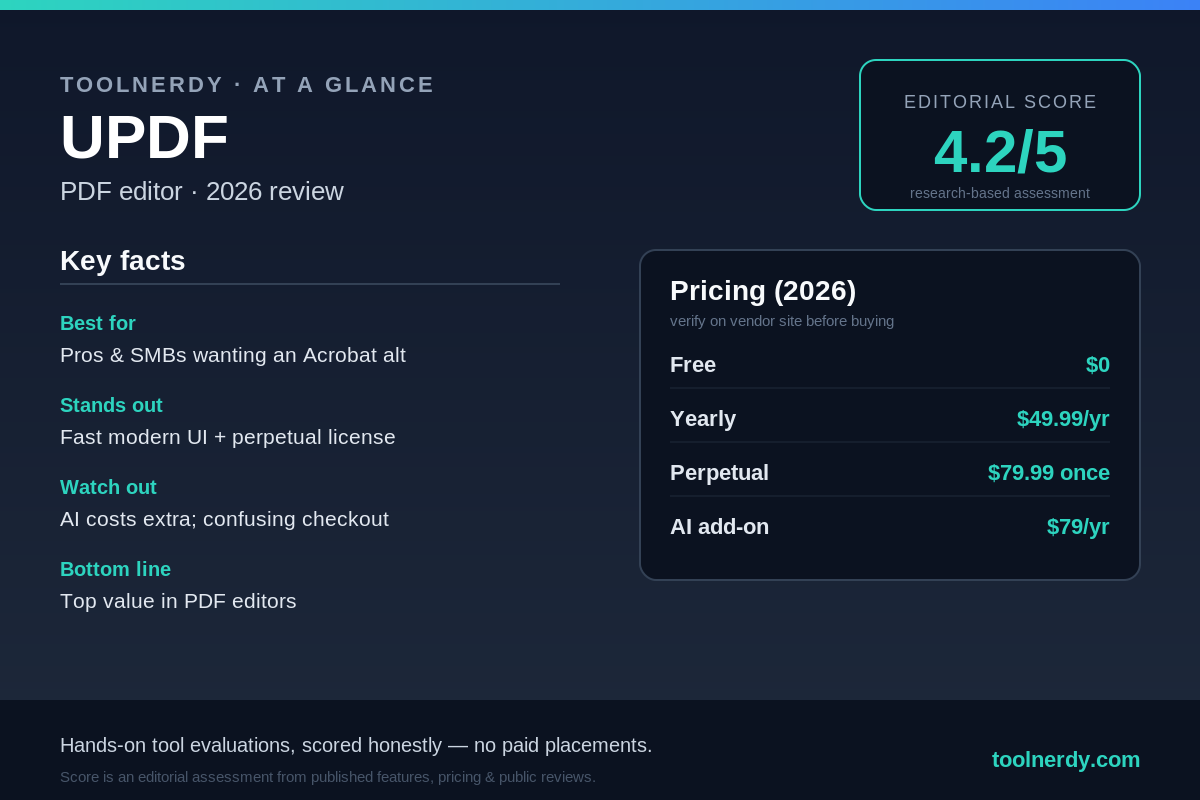
UPDF offers a free tier with limits, then paid options. Figures below reflect commonly listed 2026 USD pricing; confirm current promos and exactly what’s included on UPDF’s site before buying, since AI is priced separately.
- Yearly — ~$49.99/year. Full editor toolkit on a subscription.
- Perpetual (one-time) — ~$79.99. The standout option: own the current version outright. Frequently discounted lower in promos.
- AI Assistant add-on — ~$79/year. Summarization, mind maps, translation. Billed separately from the editor.
The math is genuinely good if you want the editor only: a one-time ~$79.99 versus Acrobat’s recurring subscription pays for itself quickly. Just decide up front whether you actually need the AI, since that’s where the cost (and the checkout confusion) creeps in.
Verdict
UPDF in 2026 is one of the strongest value plays in the PDF category: fast, modern, cross-platform, and still offering a perpetual license while most rivals went subscription-only. For an individual or small business that mainly edits, converts, and signs PDFs, it’s an easy recommendation and a real Acrobat alternative. The honest knocks are that the AI is an extra subscription and the checkout flow has a track record of surprise auto-renew charges — so buy deliberately, read the cart, and only add AI if you’ll use it.
Try the free version first to confirm the workflow fits, then grab the perpetual license if you want to stop paying Adobe.
Editorial score: 4.2 / 5 — an editorial assessment based on published 2026 features, pricing, and aggregated public reviews, not hands-on benchmarking by ToolNerdy. Excellent value and speed with a rare perpetual license, docked for separately-priced AI and a confusing, auto-renew-prone checkout.
Sources
- UPDF pricing & plans (2026): https://www.spotsaas.com/product/updf/pricing
- UPDF review, AI features & FAQs (2026): https://nubiapage.com/updf-review-2026-ai-features-app-login-download-free-plan-user-experience-and-faqs/
- UPDF pricing: https://www.g2.com/products/updf/pricing