Security & VPN
Sucuri Review 2026: Is It Still Worth It for Website Security?
The verdict
Sucuri review 2026: an honest look at pricing, unlimited malware cleanup, and whether its cloud firewall is still worth it for your site.
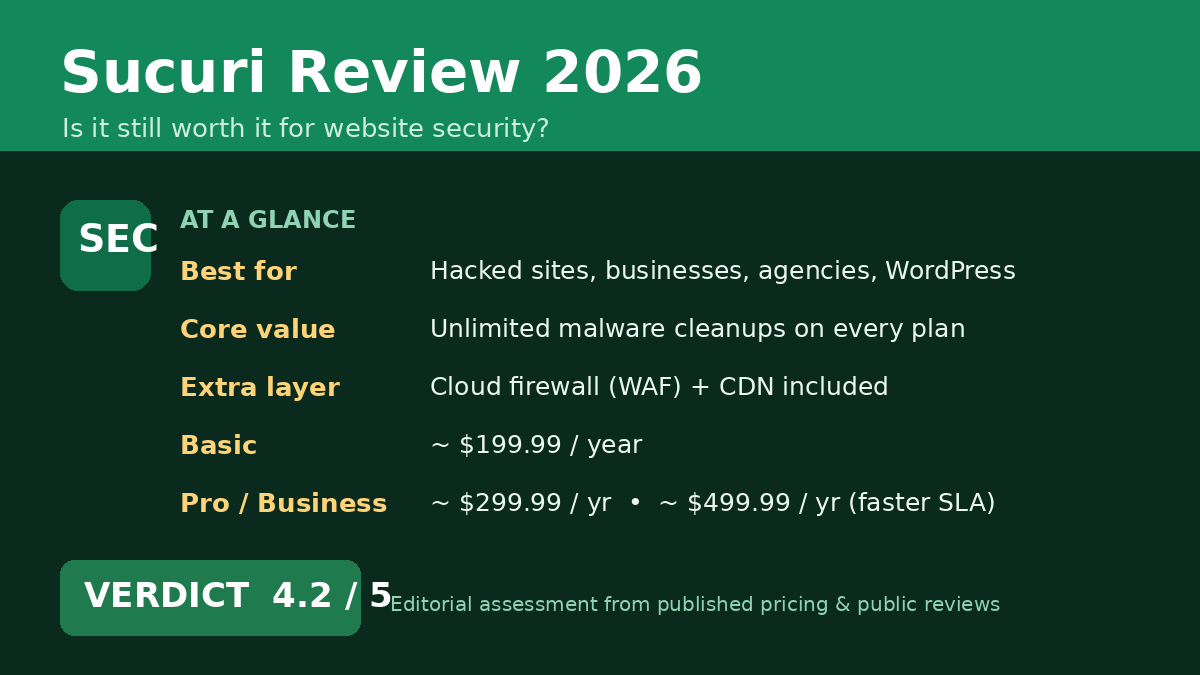
Affiliate Disclosure: ToolNerdy may earn a commission from links in this post, at no extra cost to you. We don’t accept paid placements, and the pricing below reflects Sucuri’s published rates at the time of writing.
Sucuri is a cloud-based website security platform that combines a web application firewall with unlimited malware cleanups, and in 2026 it’s still one of the easiest “my site got hacked” problems to solve. It’s been one of the best-known names in website security for over a decade, built around a simple pitch: scan your site for malware, clean it when it gets hacked, and put a firewall in front of it so it doesn’t happen again. There are cheaper plugins and bundled host-level options competing for the same job now, so the real question is whether Sucuri’s all-in-one platform still earns its price. This overview is based on Sucuri’s published plans and features plus the broad consensus of public reviews — not hands-on lab testing, and not a paid placement.
Who Sucuri is for
- Site owners who’ve been hacked once and never want to deal with it alone again
- Small businesses and bloggers running WordPress, Joomla, or other CMS platforms that are common attack targets
- Agencies and freelancers managing client sites who need dependable malware cleanup
- Anyone who wants a firewall (WAF) and CDN in front of their site without configuring it from scratch
If your only concern is a basic plugin-level scan and you’re comfortable cleaning infections yourself, Sucuri may be more than you need — that’s the honest trade-off discussed below. For a broader look at how it stacks up against the field, see our Best Website Security Tools in 2026 guide.
What stands out
Unlimited malware cleanups. Every plan includes unlimited manual cleanup requests at no extra fee. If your site gets reinfected, Sucuri’s analysts will clean it again without nickel-and-diming you per incident. If you’d rather understand the process first, our breakdown of how Sucuri’s malware cleanup guarantee actually works walks through what’s actually covered.
A real firewall, not just a scanner. Sucuri’s platform pairs monitoring with a cloud-based Web Application Firewall (WAF) and Anycast CDN, blocking attacks before they reach your server and speeding up delivery at the same time.
Platform-agnostic. Sucuri works across CMS platforms rather than being locked to WordPress, which makes it a sensible single tool for a mixed stack or varied client sites.
Established track record. Sucuri’s long history in incident response is part of why it’s so widely trusted for the “my site is hacked, help” scenario, backed by a 30-day money-back guarantee.
Where it falls short
Sucuri costs more than a basic security plugin, and budget-conscious owners of low-risk personal sites may struggle to justify a paid firewall plan at all. If you want to see exactly what you give up by going free, we compared the two directly in Sucuri vs. Free Security Plugins.
Getting the full firewall benefit also means routing your DNS through Sucuri, an extra setup step some find fiddly. Multi-site and agency pricing isn’t published — you have to contact sales, which adds friction if you’re comparing costs across tools quickly. And Sucuri is a focused security tool, not an all-purpose optimizer; it won’t replace dedicated caching, SEO, or backup solutions.
Sucuri pricing (2026)
Sucuri now publishes its Website Security Platform as monthly pricing, with a discount of up to 30% for signing up for more than one year:
| Plan | Price | Best for |
|---|---|---|
| Basic Firewall | $9.99/mo | Personal sites and blogs needing ongoing scanning plus unlimited cleanups |
| Pro Firewall | $19.98/mo | Small businesses that want faster cleanup response and SSL preload support |
| Multi-site & Custom Plans | Price upon request | Agencies and enterprises managing several sites |
Every tier covers one website, unlimited bandwidth, and the cloud WAF, so the practical decision is about response time and support depth: the more downtime would cost you, the more the jump to Pro is worth it. For a hobby site, Basic Firewall is usually plenty.
Approved CJ advertiser (ACTIVE). Destination: https://sucuri.net/.Sucuri Affiliates (Standard Terms) (CJ 5331920)
Verdict
Our take: 8.4/10 (an editorial assessment based on Sucuri’s published features and pricing and the weight of public reviews, not hands-on benchmarking)
Sucuri remains one of the most dependable choices in website security in 2026, and the unlimited-cleanup-plus-firewall combination is genuinely strong value for anyone who treats their site as a real asset. It loses a fraction of a point on the DNS setup step and the lack of published multi-site pricing.
If you run a business site, e-commerce store, or client sites where a hack means lost revenue, Sucuri is an easy recommendation. If you run a low-traffic personal blog and you’re comfortable handling the occasional scare yourself, a lighter, cheaper option may serve you better — our guide on cleaning a hacked WordPress site yourself is a good starting point either way.
Sources: Sucuri, Capterra, G2.
Frequently Asked Questions
Is Sucuri worth it in 2026?
For business sites, stores, or anywhere downtime costs real money, yes — the combination of a cloud firewall and unlimited malware cleanup for about $10–$20/month is hard to match. For a low-traffic personal blog, a free security plugin may cover your needs instead.
How much does Sucuri cost per month?
Sucuri’s Basic Firewall plan starts at $9.99/month and its Pro Firewall plan is $19.98/month, both covering one website with unlimited cleanups. Multi-site and agency pricing requires contacting Sucuri’s sales team directly.
Does Sucuri actually clean a hacked site, or just detect it?
Both. Every plan includes unlimited manual malware removal by Sucuri’s analysts, not just automated scanning — they log into the affected site, remove the infection and any backdoors, and provide a post-cleanup report.
Do I need to change my DNS to use Sucuri?
To get the full firewall and CDN protection, yes — Sucuri’s WAF works by routing your traffic through their network first, which means pointing your domain’s DNS at Sucuri. It’s a one-time setup step, but it’s worth budgeting 15–30 minutes for it rather than expecting it to be instant.